Cybersecurity Threats 2026 are already changing the way you use the internet. Cybercriminals are no longer just sending sloppy phishing emails full of typos.
In 2026, attackers are using artificial intelligence, automation, and stolen identities to launch attacks that are faster, more personal, and harder to spot than ever before.
You may think hackers only go after big companies, but that is no longer true. A fake email can steal your password. A deepfake voice call can trick your family. A bad app can hide malware on your phone. Even your smart TV, home camera, or Wi-Fi router can become a target.
Today, cybercriminals use artificial intelligence (AI) to build smarter phishing scams and social engineering attacks. They look for weak passwords, old software, and unprotected cloud accounts.
They use ransomware to lock files, zero-day exploits to attack hidden software flaws, and botnets to control infected devices. Mobile malware, identity theft, data breaches, and attacks on public Wi-Fi are also on the rise worldwide.
You do not need to be a computer expert to stay safe. Small steps can make a big difference. Using multi-factor authentication (MFA), a password manager, software updates, encryption, endpoint security tools, and a trusted VPN can help protect your personal data and digital privacy.
If you’re a complete beginner trying to protect your personal accounts or a small business owner worried about your company’s data, understanding the top cybersecurity threats in 2026 is the first step toward staying safe.
This guide breaks down the ten biggest risks in plain language, with practical tips you can use right away to improve your online safety in 2026.
Why Are Cybersecurity Threats Growing in 2026?
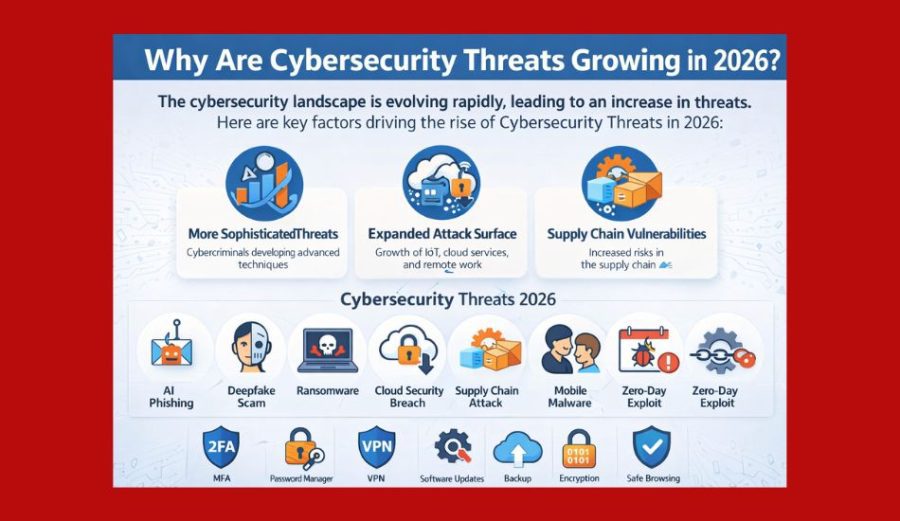
The internet is a part of your daily life. You shop online, use mobile banking, work from home, talk with friends, and save photos in the cloud. The more you do online, the more chances hackers have to attack.
One big reason is artificial intelligence (AI). AI can help people, but cybercriminals also use it. They can create fake emails, fake websites, and even deepfake voice or video messages that look real. This makes phishing and social engineering attacks harder to spot.
More people also use cloud services to store files and important information. If a cloud account has a weak password or poor security, it can lead to a data breach or identity theft.
Another problem is the growing number of connected devices. Smart TVs, security cameras, smart speakers, and home routers are all part of the Internet of Things (IoT). If these devices are not updated, hackers can infect them with malware or turn them into a botnet.
Mobile phones are also a popular target. Fake apps and harmful links can install mobile malware that steals passwords, banking details, and personal data.
At the same time, businesses and home users face ransomware attacks, zero-day exploits, and password attacks. Many of these threats start with one simple mistake, like clicking a bad link or using the same password everywhere.
The good news is that you can lower your risk. Keep your software updated, turn on multi-factor authentication (MFA), use a password manager, protect your data with encryption, avoid unsafe public Wi-Fi, and use a trusted VPN when you connect to the internet.
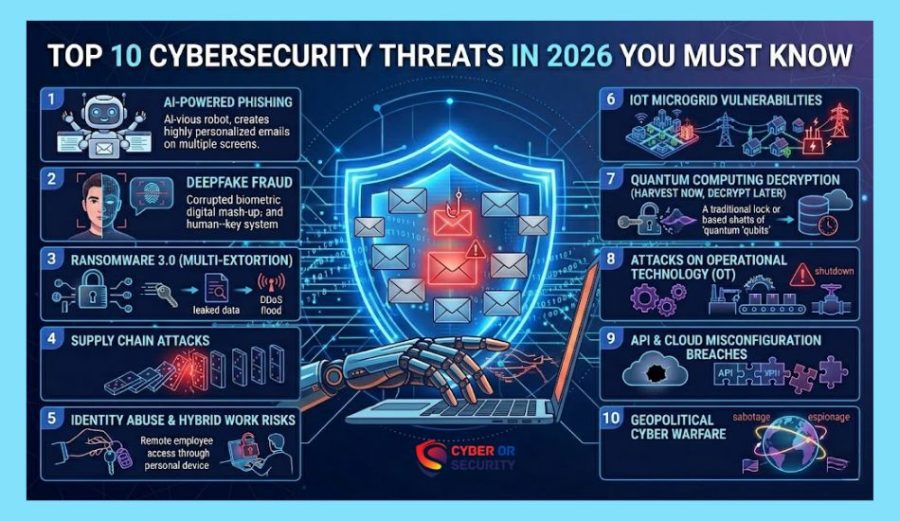
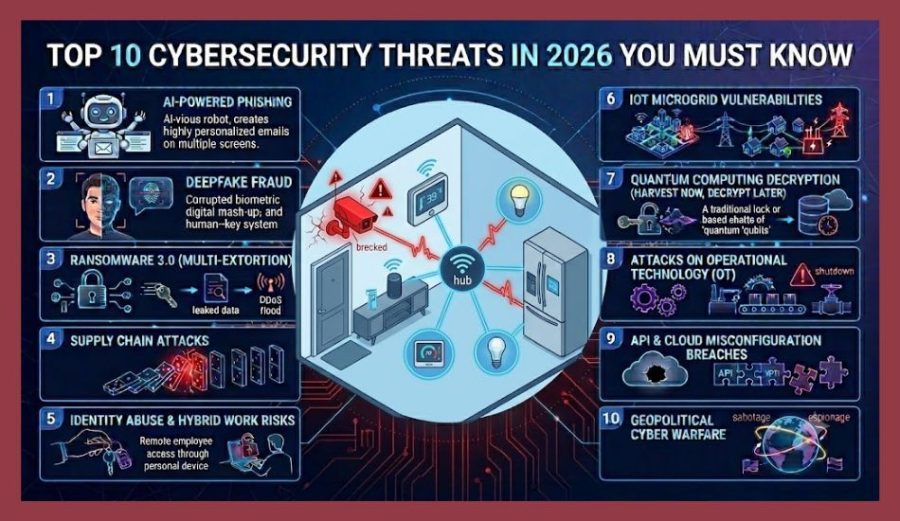
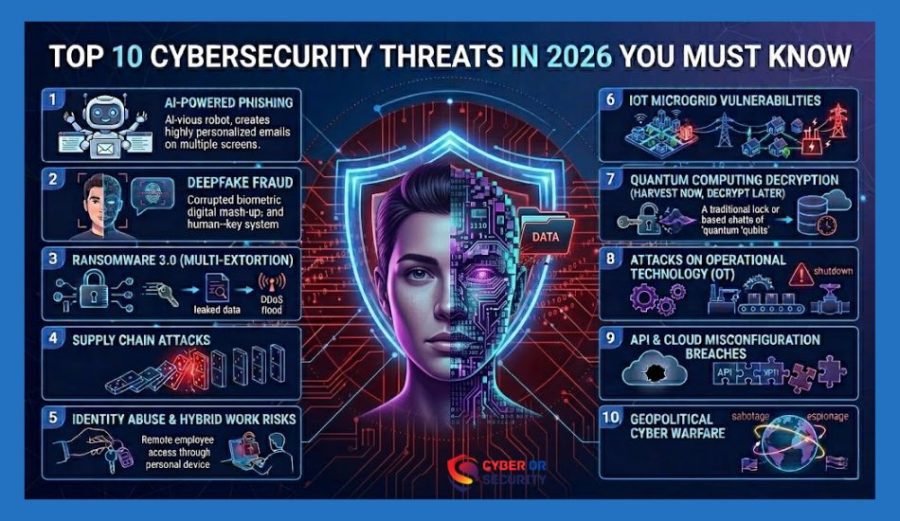
Quick Overview: The Top 10 Cybersecurity Threats in 2026.
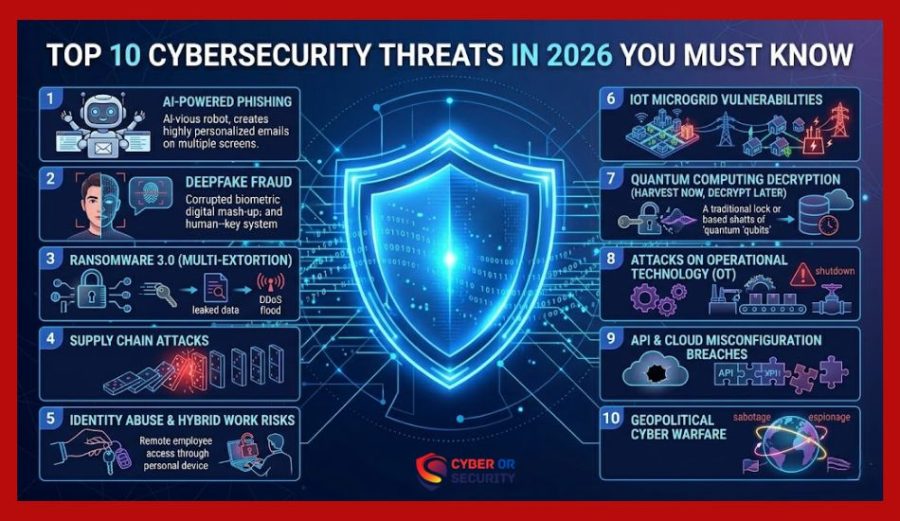
- AI-powered phishing and social engineering
- Autonomous, AI-driven malware
- Ransomware 3.0 (encryption + data extortion)
- Deepfake fraud and voice cloning scams
- Supply chain and third-party attacks
- IoT and smart device exploitation
- Cloud and SaaS misconfigurations
- Attacks on AI tools (prompt injection and data poisoning)
- Quantum computing risks to encryption
- Mobile phishing and QR code scams (“quishing”)
Let’s look at each of these in more detail, including why they matter and how to defend against them.
In this guide, you will discover the top cyber threats people face today, why they matter, and the simple things you can do to improve your online safety in 2026.
1. AI-Powered Phishing Attacks and Social Engineering
AI-powered phishing attacks are one of the biggest cybersecurity threats in 2026. In the past, many scam emails were easy to spot because they had bad spelling or strange messages. Today, that is changing.
Hackers now use artificial intelligence (AI) to create emails, text messages, and fake websites that look real. They can copy the style of your bank, your workplace, or even an online store you trust. Some attacks also use information from social media to make the message feel personal.
For example, you may get an email that says your account has a problem and asks you to click a link. The website may look exactly like the real one. If you enter your username and password, cybercriminals can steal your account and use it for identity theft or other cyberattacks.
These scams do not only target businesses. Students, parents, workers, and small business owners can all become victims.
Warning Signs
- The message creates panic or urgency.
- It asks for your password or personal data.
- The sender’s email address looks strange.
- The link does not match the official website.
- You were not expecting the message.
Some attacks even combine AI-written text with cloned voices or video calls to add a layer of false trust.
How You Can Stay Safe:
- Think before you click any link. Hover over links before clicking to check where they actually lead.
- Always verify unexpected requests for money, passwords, or sensitive data through a separate communication channel.
- Check the sender’s email address carefully.
- Use email filtering tools and keep your spam protection updated.
- Visit websites by typing the address yourself.
- Turn on multi-factor authentication (MFA).
- Use a password manager to create strong passwords.
- Keep your devices and security software updated.
A few extra seconds of checking can stop a phishing attack before it steals your information.
2. Autonomous, AI-Driven Malware
AI-powered phishing attacks are one of the biggest cybersecurity threats in 2026. In the past, many scam emails were easy to spot because they had bad spelling or strange messages. Today, that is changing.
Traditional malware follows a fixed set of instructions. The newer generation of malware can adjust its own behavior in real time, changing how it spreads or hides depending on the security tools it encounters.
This “shape-shifting” approach makes it harder for traditional antivirus software, which relies on recognizing known threat signatures, to catch every variant. Security teams are responding by shifting toward behavior-based detection rather than relying on signatures alone.
Warning Signs: Autonomous, AI-Driven Malware
- The message creates panic or urgency.
- It asks for your password or personal data.
- The sender’s email address looks strange.
- The link does not match the official website.
- You were not expecting the message.
For example, you may get an email that says your account has a problem and asks you to click a link. The website may look exactly like the real one. If you enter your username and password, cybercriminals can steal your account and use it for identity theft or other cyberattacks.
These scams do not only target businesses. Students, parents, workers, and small business owners can all become victims.
How to Protect Yourself from Autonomous, AI-Driven Malware Threats?
- Think before you click any link.
- Use security software that includes behavioral or heuristic detection, not just signature-based scanning.
- Keep your operating system and apps updated, since many malware variants rely on known, unpatched vulnerabilities.
- Avoid downloading software from unofficial sources.
- Check the sender’s email address carefully.
- Visit websites by typing the address yourself.
- Turn on multi-factor authentication (MFA).
- Use a password manager to create strong passwords.
- Keep your devices and security software updated.
A few extra seconds of checking can stop a phishing attack before it steals your information.
3. Ransomware 3.0: Encryption Plus Extortion
Ransomware attacks are still one of the most dangerous cybersecurity threats in 2026. This type of malware locks your files and demands money to unlock them. In many cases, hackers also steal your data and threaten to share it if you do not pay.
A ransomware attack can happen to anyone. A small business, a school, a hospital, or even a family computer can become a target. Many attacks start with a simple phishing email, a fake download, or old software that has not been updated.
Imagine turning on your computer and seeing that your photos, work files, and important documents are gone. A message appears asking for payment. Even if you pay, there is no promise that your files will come back.
Cybercriminals often look for weak passwords, unpatched systems, and unsafe remote connections. Once they get inside, they can spread the attack to other devices on the same network.
Warning Signs: Ransomware Attacks
- You cannot open your files.
- Your computer suddenly becomes very slow.
- Strange messages appear on your screen.
- File names or extensions change.
- A payment demand asks for cryptocurrency.
If you refuse to pay, criminals threaten to leak sensitive files publicly or sell them to other attackers. This “double extortion” model puts pressure on victims even if they have backups, because the real fear becomes data exposure rather than data loss.
How to Protect Yourself from Ransomware Attacks?
- Keep offline, regularly tested backups of important files.
- Limit who has access to sensitive data, both at home and at work.
- Be cautious with email attachments and links, the most common entry point for ransomware.
4. Deepfake Fraud and Voice Cloning Scams
Deepfake scams are becoming one of the fastest-growing top cyber threats. With the help of artificial intelligence (AI), cybercriminals can copy a person’s voice or face and make fake audio or video that looks real.
Deepfake technology, which uses AI to create realistic fake audio or video, has become more accessible and convincing. In 2026, criminals are using it to impersonate executives, family members, or public figures to trick people into transferring money or sharing private information.
A common scenario involves you getting a phone call that sounds like your boss asking for money. A family member may receive a voice message that sounds like you asking for help.
You might even see a fake video of a celebrity promoting an investment or giveaway. Many of these messages are made to steal money, passwords, or personal information.
Deepfake scams work because they create trust. When you think you know the person, you are more likely to believe the message and act quickly.
These attacks can lead to identity theft, financial loss, and data breaches. Both home users and businesses are becoming targets.
Warning Signs:
- The caller wants you to act fast.
- Someone asks for money or secret information.
- The voice or video feels slightly unusual.
- You are told not to tell anyone.
- The message comes from an unknown number or account.
How to Protect Yourself: Deepfake Voice and Video Scams?
- Do not trust a voice or video message alone. Set up a “safe word” or verification method with close family members and colleagues for urgent requests.
- Be skeptical of urgent, emotional pressure in calls or messages, especially involving money.
- Verify unusual requests by calling the person back on a known, trusted number.
- Call the person back using a number you already know.
- Create a family safe word for emergencies.
- Never send money because of a surprise phone call.
- Protect your social media accounts with multi-factor authentication (MFA).
- Share less personal information online because hackers often use public details to build better scams.
As deepfake technology improves, the safest habit is simple: always verify before you trust.
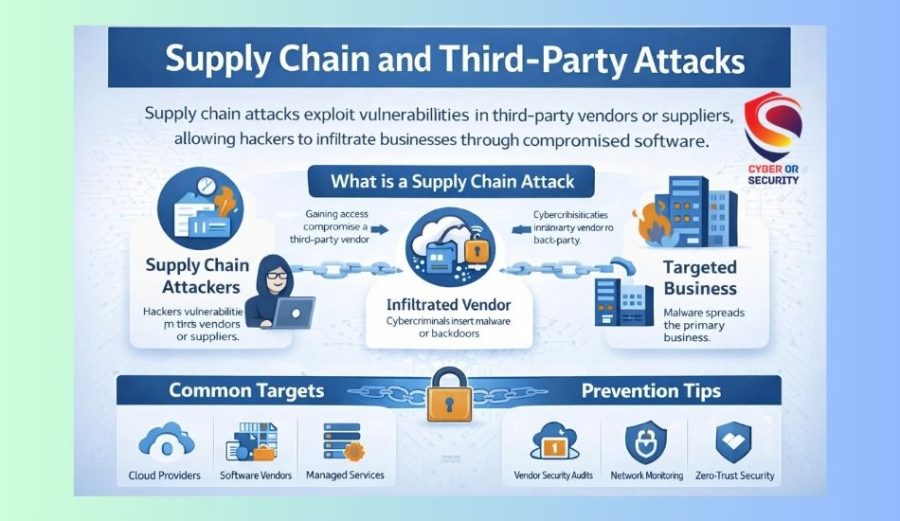
5. Supply Chain and Third-Party Attacks
Instead of attacking a company directly, criminals target the smaller vendors, software providers, or contractors that the company relies on. Once inside one trusted link in the chain, attackers can move laterally into much larger networks.
This approach has become increasingly attractive to attackers because a single successful breach of a popular software provider can give access to thousands of downstream organizations and their customers.
How to Protect Yourself from Third-Party Attacks?
- For businesses: vet the security practices of vendors and software providers before integrating their tools.
- For individuals: keep apps and plugins updated, and remove tools you no longer use.
- Watch for unusual login notifications from services connected to your accounts.
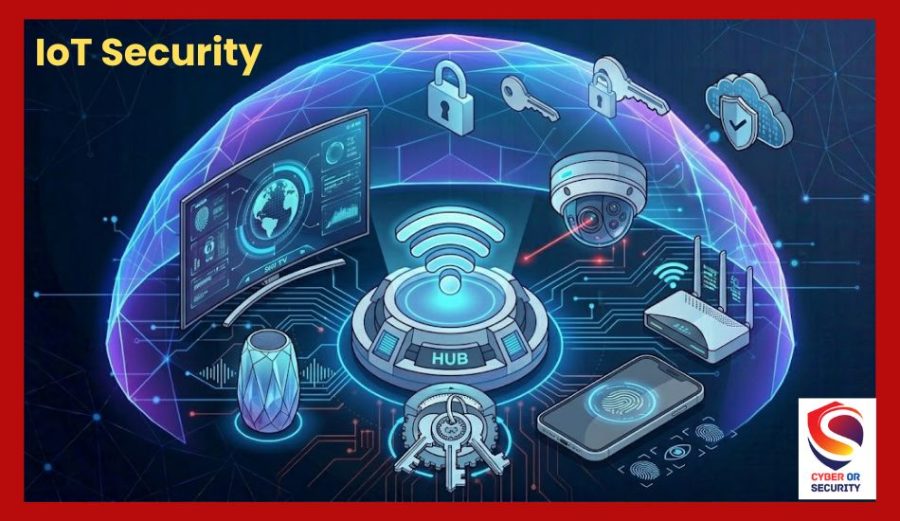
6. IoT and Smart Device Exploitation
From smart cameras and doorbells to thermostats and fitness trackers, internet-connected devices are everywhere in homes and offices. Many of these devices ship with weak default passwords or rarely receive security updates, making them easy targets.
Once compromised, a single smart device can become an entry point into your entire home network or be added to a botnet used for larger attacks.
How to Protect Yourself from IoT Devices?
- Change default usernames and passwords on every smart device immediately after setup.
- Keep device firmware updated through the manufacturer’s app.
- Consider placing IoT devices on a separate guest network, away from your main computers and phones.
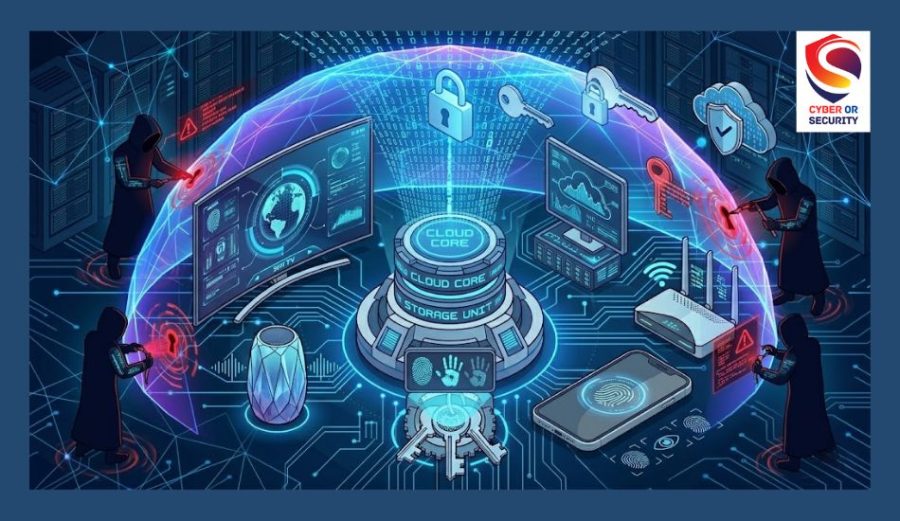
7. Cloud and SaaS Misconfigurations
As more personal and business data moves to cloud storage and software-as-a-service (SaaS) platforms, simple configuration mistakes have become one of the most common causes of data exposure.
A storage bucket left open, an overly broad sharing permission, or a forgotten test account can expose sensitive information to anyone who finds it.
These aren’t sophisticated hacks; they’re often the digital equivalent of leaving a door unlocked.
How to Protect Yourself from Cloud and SaaS Attacks?
- Review sharing settings on cloud storage (Google Drive, Dropbox, OneDrive) regularly.
- Use strong, unique passwords and enable two-factor authentication on every cloud account.
- For businesses, conduct periodic cloud security audits to catch misconfigurations early.
8. Attacks on AI Tools: Prompt Injection and Data Poisoning
As AI chatbots and assistants become part of everyday apps, they introduce a new kind of risk. “Prompt injection” attacks involve hiding malicious instructions inside content, such as a webpage or document, that an AI tool reads. If the AI follows those hidden instructions, it can leak information or take unintended actions.
“Data poisoning” is a related issue in which attackers attempt to corrupt the information an AI system learns, subtly influencing its outputs.
How to Protect Yourself from AI Tool Attacks?
- Be cautious when connecting AI assistants to sensitive accounts, files, or email.
- Review what permissions you grant to AI tools and revoke access you no longer need.
- Stay informed: AI security is evolving quickly, and reputable providers regularly publish safety updates.
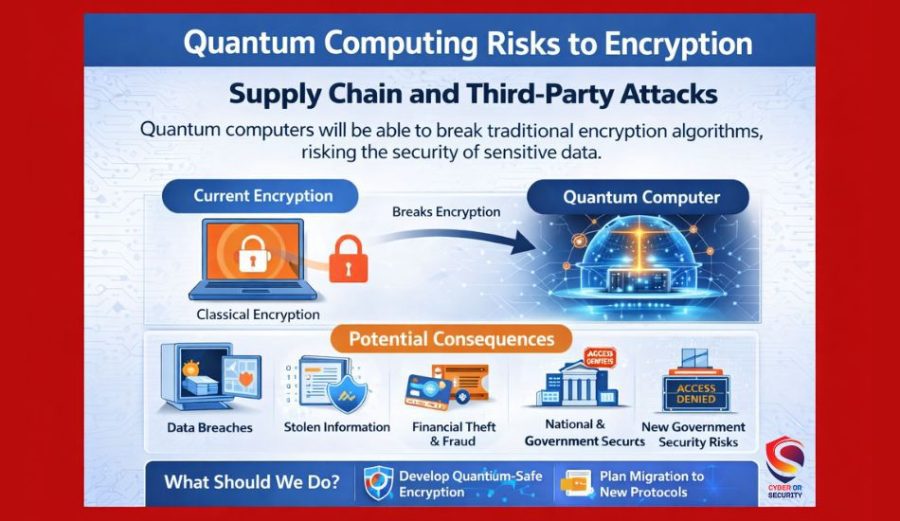
9. Quantum Computing Risks to Encryption
Quantum computing is still in its early stages, but it represents a long-term threat to the encryption that protects today’s online banking, messaging, and data storage. Powerful enough quantum computers could theoretically break commonly used encryption methods.
While this risk is more relevant to governments, financial institutions, and large enterprises right now, the industry is already moving toward “post-quantum” encryption standards designed to resist future quantum attacks.
How to protect yourself:
- Individuals don’t need to panic, but should stay aware of updates from banks and major service providers about encryption upgrades.
- Businesses handling sensitive long-term data should start tracking post-quantum encryption standards now.
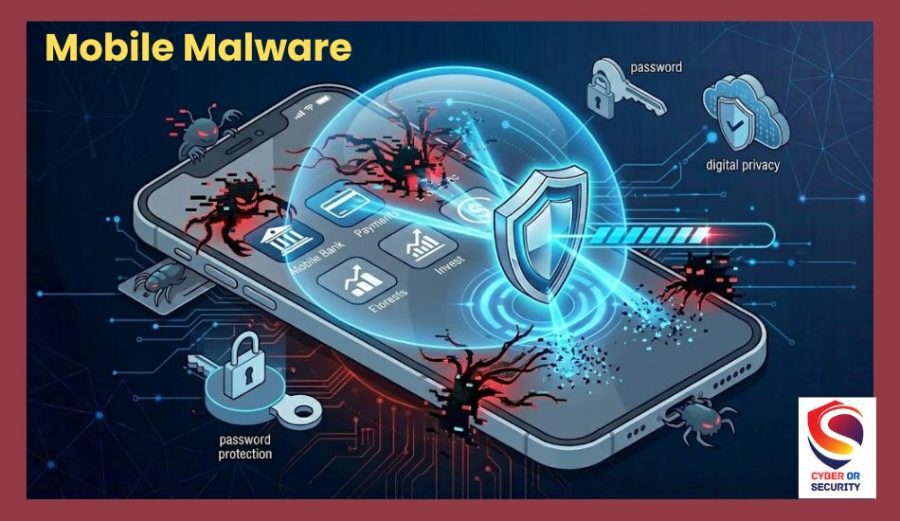
10. Mobile Phishing and QR Code Scams
QR codes became a normal part of everyday life, used for menus, parking payments, and event check-ins. Unfortunately, criminals have caught on, placing fake QR code stickers over real ones or sending QR codes through email and text messages.
Scanning a malicious QR code can lead to fake login pages designed to steal your credentials or trigger downloads of malicious apps onto your phone.
How to protect yourself from “Quishing”?
- Avoid scanning QR codes from unsolicited emails, texts, or unattended public locations.
- Check the URL preview before opening a link from a QR code.
- Keep your phone’s operating system and apps updated.
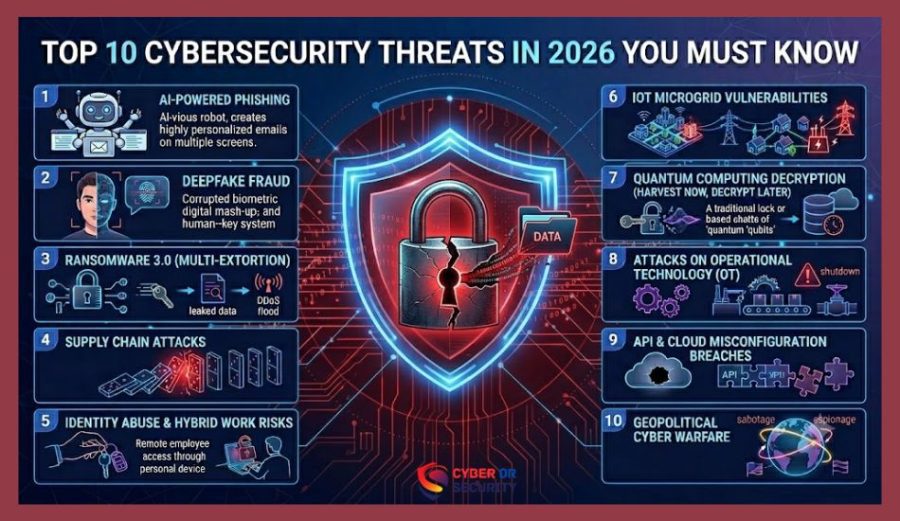
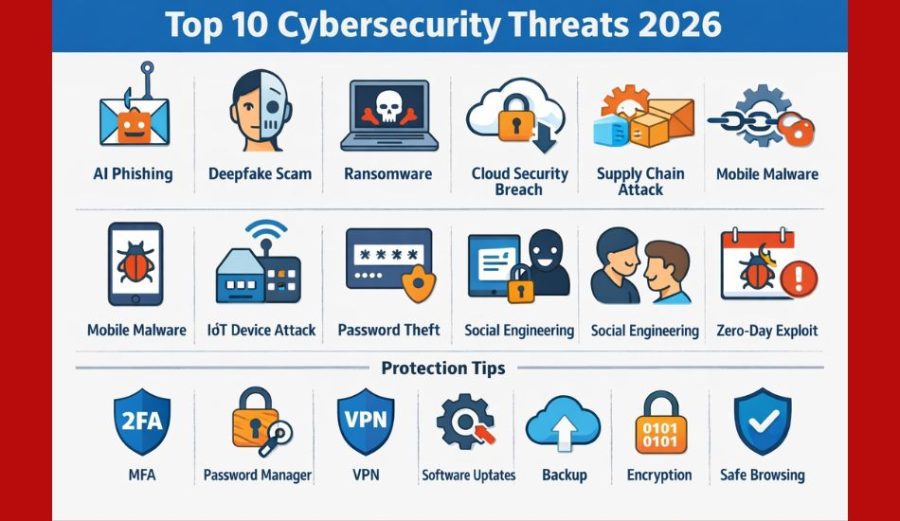
10 Top Cyber Threats and How to Stop Them
| Threat | Risk Level | Easy Protection |
| AI Phishing | High | MFA and email checks |
| Deepfakes | High | Verify identity |
| Ransomware | High | Offline backups |
| Cloud Breaches | Medium | Strong passwords |
| Supply Chain | Medium | Trusted vendors |
| Mobile Malware | High | Official app stores |
| IoT Attacks | Medium | Update devices |
| Password Attacks | High | Password manager |
| Social Engineering | High | Verify requests |
| Zero-Day Attacks | High | Update software |
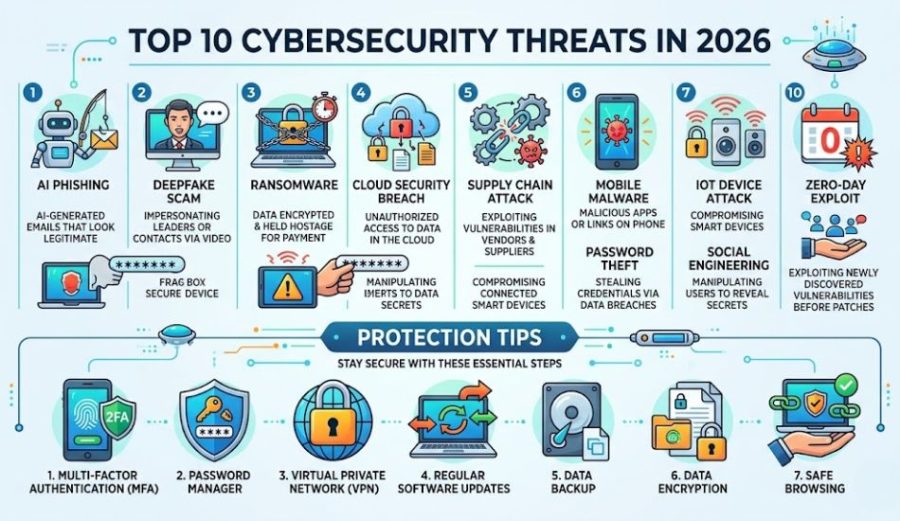
Staying Safe Online in 2026: The Basics Still Matter
With so many new and evolving threats, it’s easy to feel overwhelmed. The good news is that the fundamentals of good cybersecurity still go a long way:
- Use a password manager to create and store strong, unique passwords for every account.
- Turn on two-factor authentication everywhere it’s offered.
- Keep your devices, browsers, and apps updated.
- Think before you click, especially with urgent or emotional messages.
- Encrypt your internet connection with a trusted VPN (Virtual Private Network), particularly when using public Wi-Fi at cafes, airports, or hotels.
If you want a deeper walkthrough of how VPNs work and which features actually matter, check out our complete VPN guide for beginners.
Why Does a VPN Help Against Modern Cyber Threats?
A VPN is not a magic tool that stops every cyber attack, but it can make your online life much safer. As cybersecurity threats in 2026 continue to grow, adding extra protection is a smart choice.
A VPN encrypts your internet traffic. This means your data is turned into a secret code while it travels across the internet. If someone tries to spy on your connection, they will not be able to easily read your information.
A VPN also helps protect you when you use public Wi-Fi. Free internet at coffee shops, airports, hotels, and shopping centers can be risky. Cybercriminals sometimes use these networks to steal passwords, banking details, and personal data. A VPN adds a layer of security between you and the network.
Another benefit is that a VPN can hide your IP address. Your IP address can reveal your general location and some information about your device. By hiding it, a VPN gives you more privacy while you browse.
Most importantly, a VPN adds another layer of privacy to your daily online activities. It works well with other safety habits like using strong passwords, turning on multi-factor authentication (MFA), keeping your software updated, and avoiding suspicious links.
A VPN should be part of your security plan, not your only defense. When you combine it with smart online habits, you make it much harder for cybercriminals to reach your personal information.
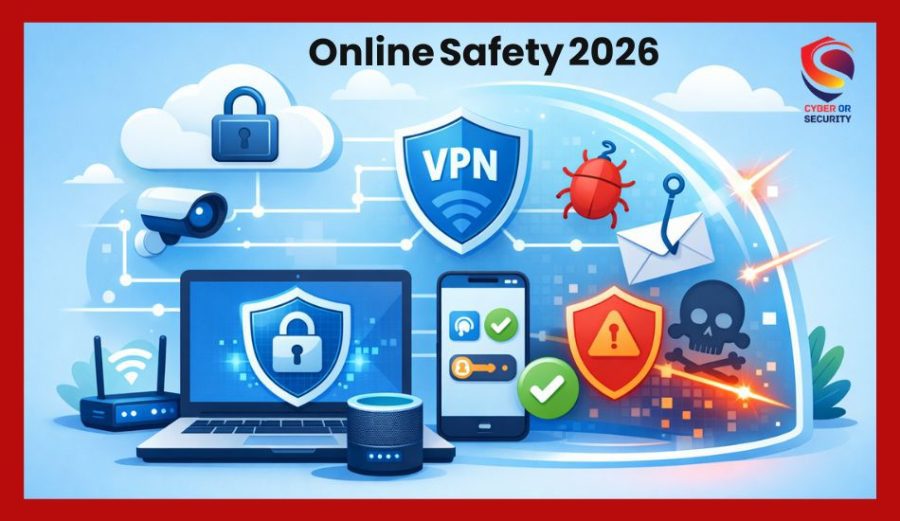
Recommended: Add a VPN to Your 2026 Security Toolkit
One of the simplest upgrades you can make to your online safety in 2026 is using a reliable VPN. A good VPN encrypts your internet traffic, making it much harder for attackers on public networks to intercept your data, and helps mask your location and IP address from trackers.
NordVPN is one of the most widely trusted options, offering strong encryption, a large server network, and additional features like malware protection and a built-in ad blocker. If you’re looking for an easy first step toward better online security in 2026, it’s worth checking out their current plans.
If you often use coffee shop Wi-Fi, airports, or hotels, a trusted VPN can help keep your data private. You can also read our complete VPN guide to learn how to choose the right service for your needs.
Final Thoughts: Cybersecurity Threats 2026: What Every Beginner Should Know?
The cybersecurity threats 2026 brings are more advanced than ever, largely driven by how quickly attackers have adopted AI. But the core defenses, strong passwords, regular updates, healthy skepticism toward unexpected messages, and tools like VPNs remain just as effective as they’ve always been.
Staying informed is half the battle. Bookmark this page, share it with someone who could use a security refresher, and keep building your knowledge with more guides from CyberOrSecurity.com.
Here are some options to test, plus prompts you can drop into an image generator for the featured image and inline visuals.
Relevant article: What Is Cybersecurity? A Complete Beginner’s Guide 2026
FAQs: Beginner’s Guide for 10 Biggest Cybersecurity Threats 2026.
1. What is the biggest cybersecurity threat in 2026?
AI-powered social engineering is widely considered the biggest cybersecurity threat in 2026. Attackers use AI to craft highly personalized phishing messages, clone voices, and create convincing deepfakes at a scale that was simply not possible a few years ago.
2. How can beginners protect themselves from cyber threats in 2026?
Start with the basics for using a password manager, turn on two-factor authentication, keep your software updated, avoid clicking unknown links or attachments, and use a reputable VPN when connecting to public Wi-Fi.
3. Is ransomware still a major threat in 2026?
Yes. Ransomware has shifted toward a “double extortion” model that combines file encryption with data theft, pressuring victims with the threat of public leaks even if they have backups.
4. Can a VPN protect me from all cybersecurity threats?
No tool can stop every threat on its own, but a VPN adds a meaningful layer of protection by encrypting your connection and hiding your IP address, especially on public or unsecured networks. It works best as part of a broader security routine that includes strong passwords, updates, and cautious browsing habits.
5. Can normal people become victims of cyber attacks?
Yes. Hackers do not only target large companies. Students, parents, remote workers, small business owners, and anyone who uses the internet can become a target.
6. Is public Wi-Fi safe to use?
Public Wi-Fi can be risky because hackers may try to steal your data. Avoid logging into important accounts on unsecured networks, and use a trusted VPN for extra protection.
7. What is the easiest way to stay safe online in 2026?
The easiest way is to build a few simple habits and think before you click, use strong passwords, keep your devices updated, back up your files, and never trust unexpected messages without checking them first.