What Is Cybersecurity? A Complete Beginner’s Guide 2026
Everything you need to know about protecting yourself, your data, and your devices, written in plain language for people who are just getting started.
Table of Contents
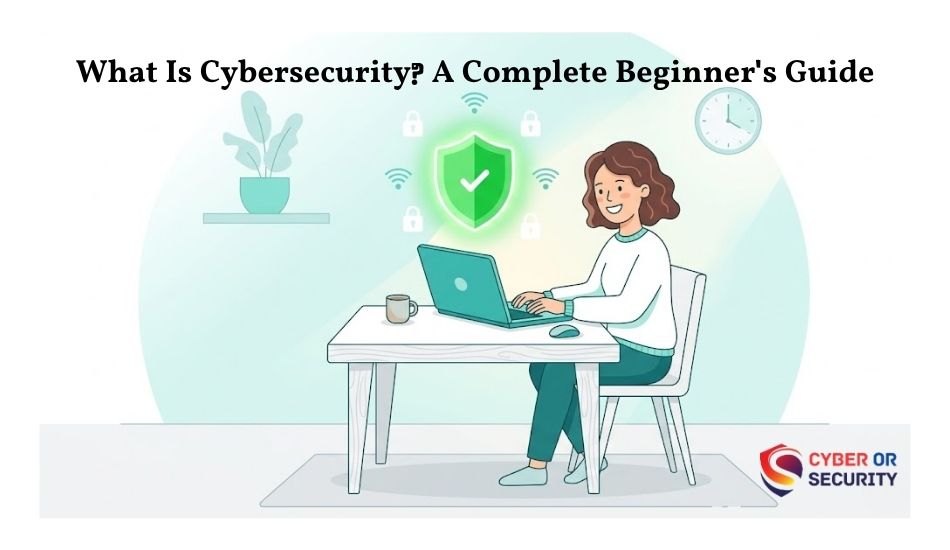
You have probably heard the word “cybersecurity” a hundred times, but what does it actually mean and why should you care? This guide answers both questions. If you are a student, a small business owner, or just someone who uses a smartphone, this is for you.
In 2026, almost every part of our lives touches the internet. We bank online, shop online, talk to doctors online, and store years of memories in cloud apps. That convenience comes with real risk. Cybercriminals are constantly looking for weak spots, and they do not only target big companies. Individuals are attacked every single day.
You do not need a computer science degree to stay safe. You just need to understand the basics, and this guide will give you exactly that.
What is cybersecurity?
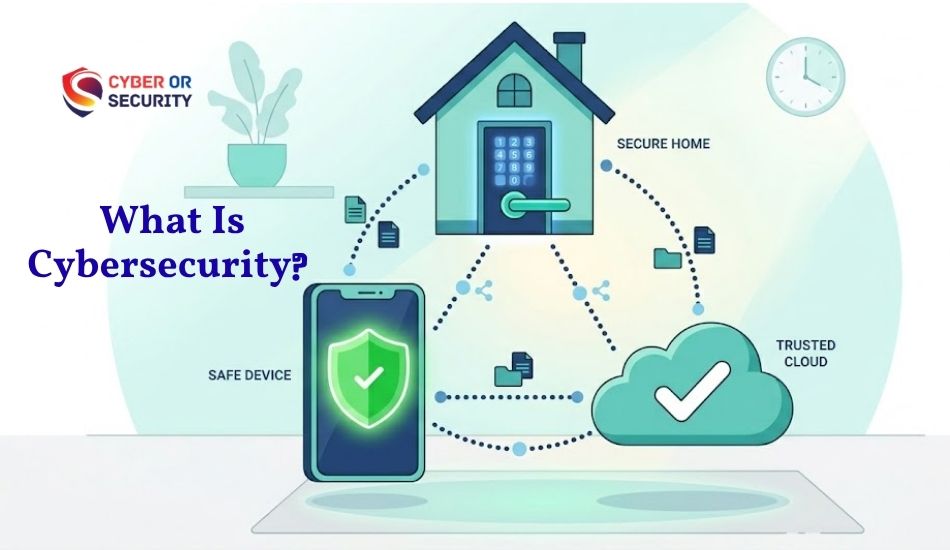
Cybersecurity is the practice of protecting computers, networks, software, and data from unauthorized access, damage, or attack. It covers everything from the password on your phone to the systems that protect a hospital’s patient records.
Think of cybersecurity the same way you think about physical security. You lock your front door, install a camera, and know your neighbors that is real-world security. In the digital world, those same instincts apply. You use strong passwords, keep software updated, and stay alert for scams. That is cybersecurity in everyday life.
At a professional level, cybersecurity is a full industry with engineers, analysts, and researchers working to stay one step ahead of attackers. But the core idea is always the same: protect the things that matter from people who want to damage or steal them.
Simple definition: Cybersecurity means keeping your digital life accounts, data, devices, and identity safe from threats, whether that threat is a hacker, a virus, or a scam email.
Why cybersecurity matters in 2026
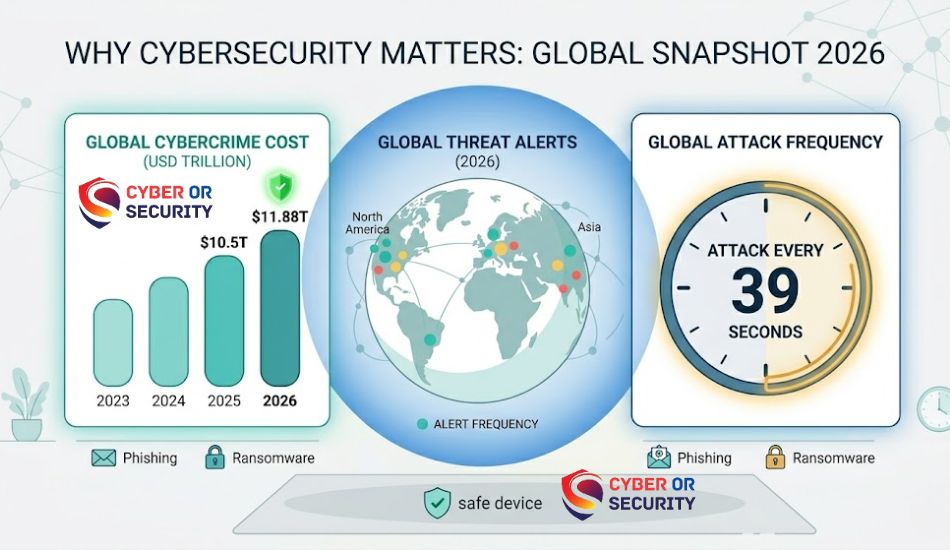
The scale of cybercrime has grown faster than most people realize. It is no longer about dramatic Hollywood-style hacks. Today, attacks are automated, precise, and relentless.
These numbers are not meant to scare you, and they are meant to make it real. Cybercrime affects individuals, hospitals, schools, governments, and businesses of every size. In 2026, AI-powered attacks have made it easier for attackers to craft convincing scams and automate their campaigns at scale.
For regular people, the most common risks are identity theft, financial fraud, phishing scams, and account takeovers. For businesses, a single breach can mean lost customers, lawsuits, and regulatory fines. For governments, attacks on critical infrastructure power grids, water systems, hospitals are a real national security concern.
The average cost of a data breach reached a record high of $4.88 million in 2024 according to the IBM Cost of a Data Breach Report, and that figure has risen every year since 2020.
The CIA triad: the foundation of cybersecurity
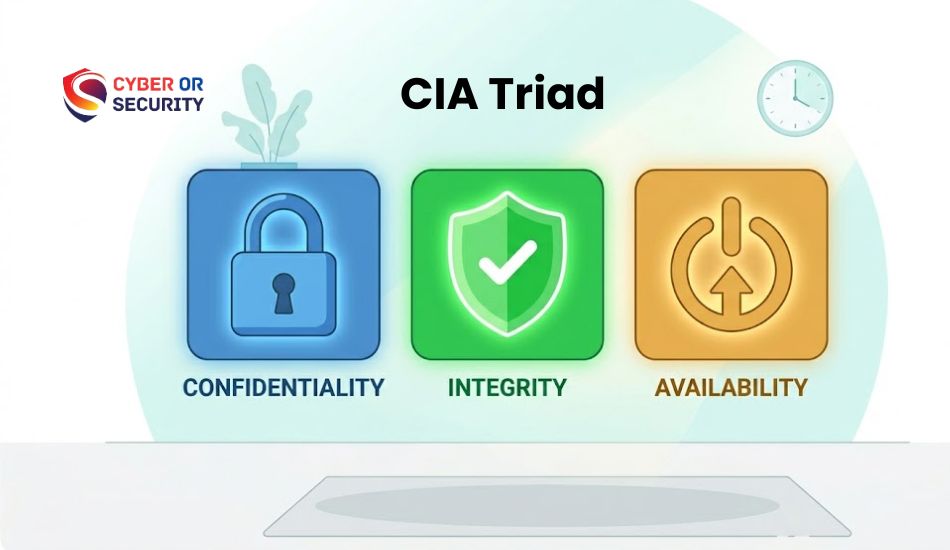
Before getting into tools and threats, it helps to understand the three core goals of cybersecurity. Every security decision, from choosing a password to building a corporate firewall, comes back to these three ideas. They are called the CIA triad.
Confidentiality
Only the right people can access sensitive information. Think: passwords, encryption, and privacy settings.
Integrity
Data stays accurate and unmodified. Nobody can secretly tamper with files, records, or transactions.
Availability
Systems work when people need them. Attacks like DDoS aim to take services offline; availability prevents that.
When any of these three pillars is compromised, something goes wrong. A data breach violates confidentiality. A hacker changing records violates integrity. A ransomware attack that locks a hospital out of its systems violates availability.
Types of cybersecurity
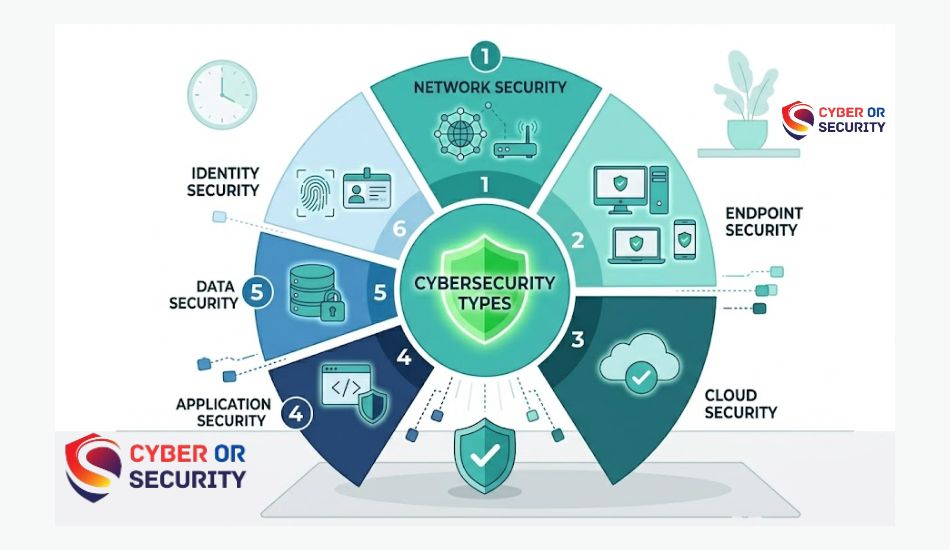
Cybersecurity is not one single thing. It is a broad field made up of several different domains, each focused on protecting a specific part of our digital world.
Network security
Protects the infrastructure that data travels through, including routers, firewalls, and internet connections.
Endpoint security
Secures the devices that connect to a network: laptops, phones, tablets, and servers.
Cloud security
Keeps data and services hosted on platforms like; AWS, Azure, or Google Cloud safe from exposure.
Application security
Finds and fixes vulnerabilities in software and apps before attackers can exploit them.
Data security
Protects information at rest and in transit through encryption, access controls, and backup strategies.
Identity & access
Controls who gets into what systems: multi-factor authentication and permission management live here.
Operational security (OPSEC)
Operational security is about protecting the process, not just the systems. It asks: could the way we do things leak sensitive information? A simple example is posting a photo of your office badge on social media. That is an OPSEC failure, not a technical hack.
Disaster recovery and business continuity
When something goes wrong and in cybersecurity, eventually something always does- organizations need a plan to recover. This includes backups, failover systems, and documented response procedures.
Common cyber threats you need to know
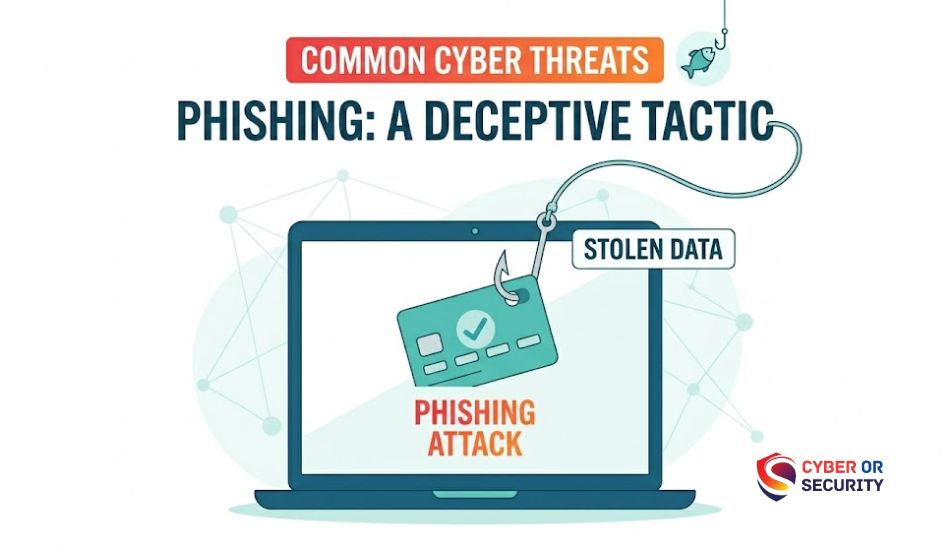
Understanding threats is half the battle. Here are the most common types of cyberattacks in 2026, what they do, and how dangerous they are.
| Threat type | What it does | Risk level |
|---|---|---|
| Phishing | Fake emails or websites trick you into handing over credentials or clicking malicious links. | Very high |
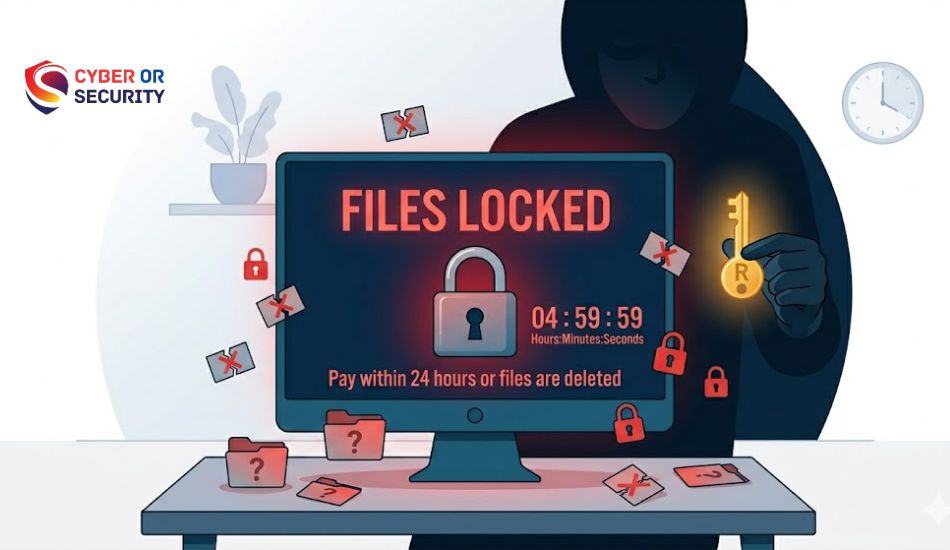
| Ransomware | Malware encrypts your files and demands payment to unlock them. Targets hospitals, schools, and businesses. | Very high |
| Malware | Umbrella term for malicious software that includes viruses, spyware, trojans, and worms. | High |
| Social engineering | Manipulates people psychologically into doing something, such as sharing a password, wiring money, etc. | High |
| Man-in-the-middle | Attacker intercepts communication between two parties, often on public Wi-Fi. | Medium |
| DDoS attacks | Floods a website or server with traffic to knock it offline. | Medium |
| Credential stuffing | Uses breached username/password combos from old leaks to try logging into other accounts. | Medium |
| Insider threats | Employees or contractors who intentionally or accidentally compromise security from the inside. | Medium |
AI-powered threats in 2026
One major development in 2026 is the rise of AI-enhanced attacks. Cybercriminals now use AI tools to generate highly convincing phishing emails in any language, create deepfake audio and video to impersonate executives, and automate vulnerability scanning at scale. This is why human awareness not just software, remains a critical line of defense.
Deepfake scams are rising: In 2025, several companies lost millions of dollars to attackers who impersonated executives using AI-generated voice calls. Always verify unusual financial requests through a second channel.
Cybersecurity careers in 2026
Cybersecurity is one of the fastest-growing fields in technology. There is a global shortage of over 3.5 million cybersecurity professionals, and that gap is widening. If you are considering a career change or just starting out, this is one of the best fields to enter right now.
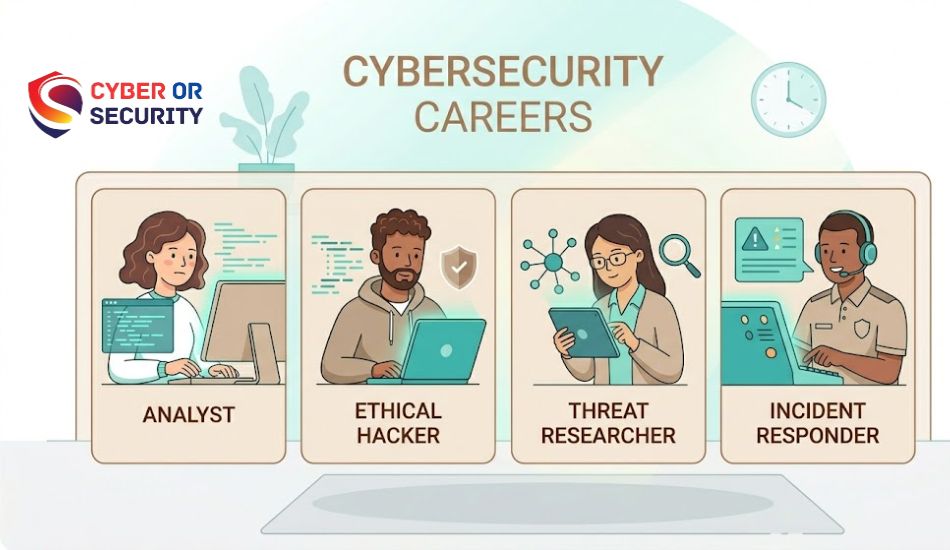
Security analyst
Monitors networks and systems for suspicious activity. A great entry-level starting point.
Penetration tester
Legally hacks into systems to find vulnerabilities before real attackers do. Also called ethical hacking.
Threat intelligence
Researches attacker groups, tactics, and trends to help organizations prepare for future threats.
Incident responder
Handles active security incidents, contains the damage, investigates the breach, and recovers systems.
You do not need a traditional computer science degree to break into cybersecurity. Many professionals start with certifications like CompTIA Security+, CEH (Certified Ethical Hacker), or the CISSP. Platforms like TryHackMe and Hack The Box offer hands-on practice that employers respect.
The US Bureau of Labor Statistics projects cybersecurity roles will grow 32% by 2032, much faster than the average for all occupations. Median pay for information security analysts is over $120,000 per year in the US.
How to protect yourself: 10 practical steps
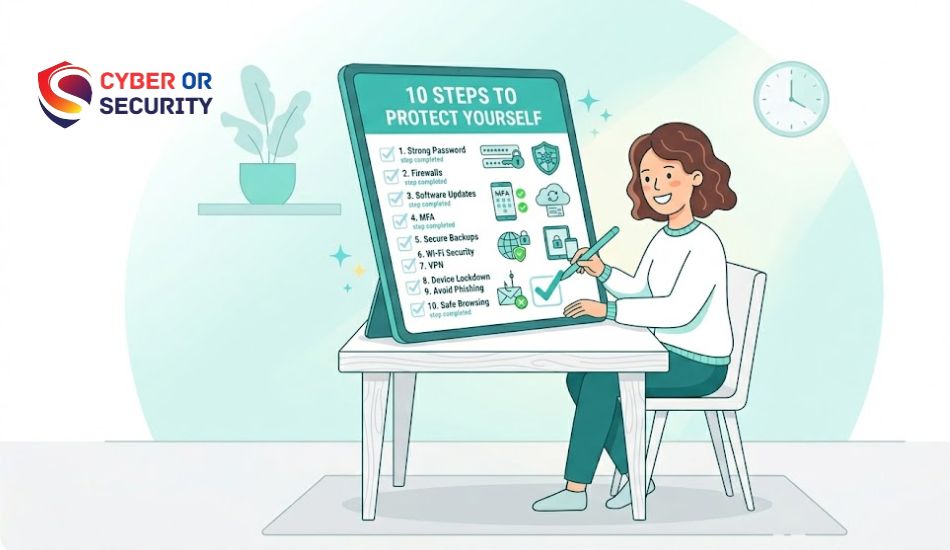
You do not need expensive software or technical expertise to dramatically reduce your risk. These ten steps cover the most important things any person can do to improve their online security right now.
-
1
Use strong, unique passwords for every account
Reusing passwords is one of the most common ways people get hacked. A password manager like Bitwarden or 1Password makes this easy; it generates and stores complex passwords so you only need to remember one.
-
2
Turn on multi-factor authentication (MFA)
MFA adds a second layer, usually a code from your phone, so that even if someone has your password, they cannot get in. Enable it on every account that offers it, especially email, banking, and social media.
-
3
Keep software and devices updated
Most updates patch security vulnerabilities that attackers actively exploit. Enable automatic updates on your operating system, browser, and apps. Running outdated software is like leaving a known broken window unfixed.
-
4
Be skeptical of unsolicited messages
If you receive an unexpected email, text, or call asking you to click a link, verify your identity, or transfer money, stop. Verify through a different channel before acting. Phishing is the number one way people get compromised.
-
5
Back up your data regularly
Ransomware loses much of its power when you have clean backups. Follow the 3-2-1 rule: 3 copies, on 2 different media types, with 1 stored offsite or in the cloud.
-
6
Use a VPN on public Wi-Fi
Public networks in cafes, airports, and hotels are risky. A VPN encrypts your traffic so someone snooping on the same network cannot read what you are sending or receiving.
-
7
Review app permissions regularly
Many apps request access to your camera, microphone, contacts, or location when they do not need it. Go through your phone’s settings once a month and revoke anything that seems unnecessary.
-
8
Monitor your accounts for unusual activity
Turn on login notifications where available. Check your bank statements regularly. Sign up for breach alerts at HaveIBeenPwned.com; it will tell you if your email appears in a known data breach.
-
9
Secure your home router
Change the default admin password, use WPA3 encryption if available, and keep the firmware updated. Your router is the gateway for everything in your home; it deserves the same care as any other device.
-
10
Stay informed and keep learning
Threats evolve constantly. Follow trusted sources like the Cybersecurity and Infrastructure Security Agency (CISA), Krebs on Security, or the SANS Internet Storm Center to stay current without being overwhelmed.
To stay updated on the latest cyber threats and security alerts, you can visit the Cybersecurity and Infrastructure Security Agency (CISA).
Quick win: If you do only one thing after reading this guide, enable multi-factor authentication on your email account. Your email is the master key to almost everything else; if an attacker gets in there, they can reset passwords on every service you use.
Conclusion: What Is Cybersecurity? The Ultimate Beginner Guide to Online Security 2026?
Cybersecurity is not only for technology experts or large companies. It is for everyone who uses the internet. If you have a smartphone, a computer, an email account, or a social media profile, you have something worth protecting.
Many online attacks happen because of small mistakes, like using a weak password, clicking a fake link, or ignoring a security update. The good news is that small habits can stop big problems. Creating strong passwords, turning on multi-factor authentication, updating your devices, and being careful with unknown emails can greatly reduce your risk.
The online world will continue to change, and cyber threats will keep growing in 2026 and beyond. You do not need to learn everything at once. Start with the cybersecurity basics and build safer habits one step at a time.
The best time to protect your digital life is today. A few simple actions now can help keep your personal data, money, and online accounts safe for years to come.

FAQs: What Is Cybersecurity? An Easy Guide for Beginners in 2026
1. Is cybersecurity only relevant to big companies?
No. Individuals and small businesses are targeted just as often, sometimes more so, because they tend to have weaker defenses. Most automated attacks do not discriminate by target size.
2. Do I need antivirus software in 2026?
Modern operating systems have solid built-in defenses (Windows Defender, macOS Gatekeeper), but a reputable third-party antivirus or endpoint protection tool still adds a useful layer, especially on Windows. The more important habit is keeping everything updated.
3. What is the difference between a hacker and a cybercriminal?
Not all hackers are criminals. Ethical hackers (also called white-hat hackers or penetration testers) are paid by organizations to find vulnerabilities before malicious actors do. The term “hacker” originally just meant someone who liked taking apart and understanding systems; the criminal association came later.
4. How do I know if I’ve been hacked?
Warning signs include: passwords that no longer work, unfamiliar logins in your account activity, unauthorized charges, a suddenly slow device, unexpected emails sent from your account, or contacts receiving messages you did not send. If you suspect a compromise, change your passwords immediately and enable MFA.
5. What is zero-trust security?
Zero trust is a security model based on the principle “never trust, always verify.” Instead of assuming everyone inside a network is safe, every user and device must continuously prove they have a legitimate reason to access a resource every time, from everywhere.
6. Can I learn cybersecurity on my own?
Yes, and many professionals do. Free and paid platforms like TryHackMe, Hack The Box, Cybrary, and SANS all offer structured learning. CompTIA Security+ is widely recognized as a strong entry-level certification that does not require prior experience.