
What are passkeys? Passkeys are a passwordless login method built on FIDO2 standards and public-key cryptography.
Ideally asking you to remember a password, a website works with an authenticator on your phone, computer, or security key.
You can usually approve the sign-in with your fingerprint, face, or device PIN.
Behind the scenes, WebAuthn helps the website request authentication, while the passkey uses a private key that stays protected by your device or passkey manager.
This makes passkeys different from passwords because there is no password for an attacker to steal and reuse.
Apple, Google, and Microsoft now support passkeys across major parts of their ecosystems, and the FIDO Alliance reported 5 billion passkeys in use worldwide in 2026.
Quick answer: A passkey is a digital key stored on your phone or computer that logs you into apps and websites using your face, fingerprint, or screen lock no password needed. It is safer than a password because there is no password for hackers to steal.
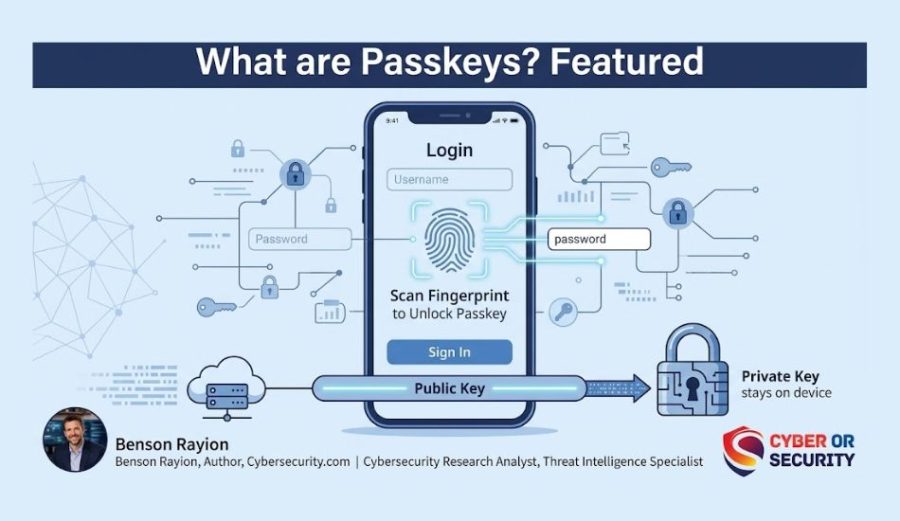
What Is a Passkey?
A passkey is a small piece of digital code that replaces your password. It gets created when you sign up for or log into an account, and it gets saved on your phone, laptop, or password manager.
Apple, Google, and Microsoft all want you off passwords now. Microsoft made passkeys the default sign-in method for new accounts in 2025, and in 2026 it started switching over users who still rely on text-message codes.
Google did the same thing back in 2023. If you have gotten a “set up a passkey” pop-up on your phone lately, this is why.
So what are passkeys, really, and should you bother switching? Here is the simple version.
You never see the passkey itself. You just use your face, fingerprint, or device PIN to unlock it. Your phone does the hard work in the background.
Think of it like a house key that only works when it scans your fingerprint first. Even if someone steals the key, they can’t use it without your finger.
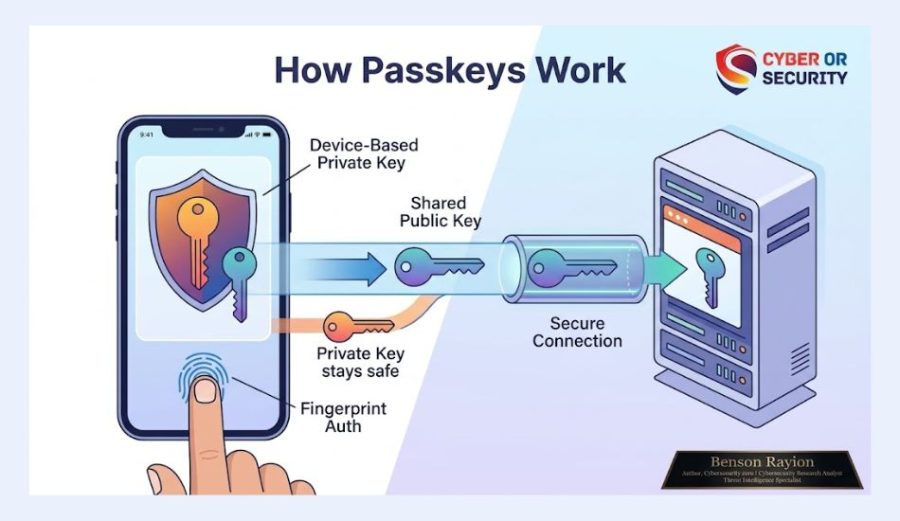
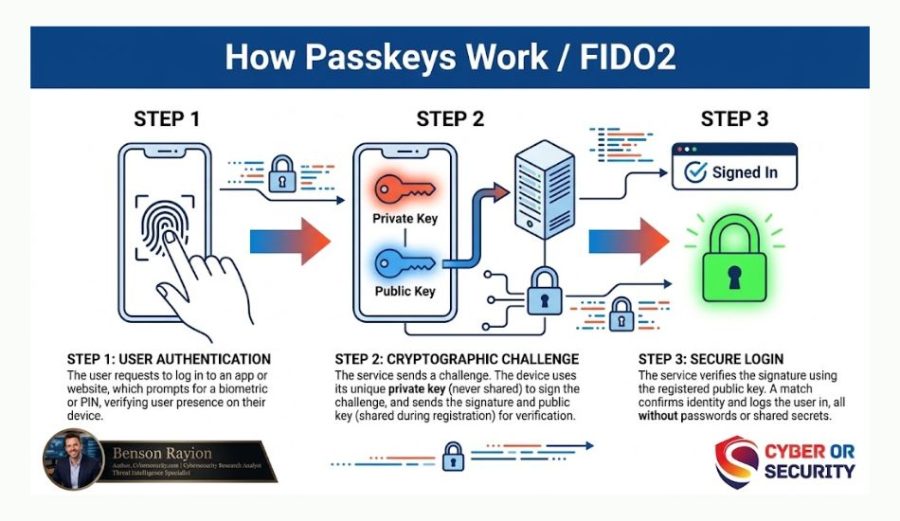
How Do Passkeys Work?
Passkeys run on a security standard called FIDO2 authentication. FIDO stands for “Fast Identity Online.” It is a set of rules built by tech companies to kill off passwords for good.
Here is what happens when you use a passkey, step by step:
1. You create an account or turn on a passkey: Your device makes two matching digital keys, and one stays locked on your device (private key), and one goes to the website (public key).
2. You try to log in later: The website sends a small challenge to your device.
3. You unlock your device: Face ID, a fingerprint, or your screen PIN proves it’s really you.
4. Your device answers the challenge: It uses the private key that never left your phone.
5. You’re in: No typing, no password, no code to text you.
The private key never travels over the internet and never sits on a company’s server. That’s the biggest difference from a password, and it’s why passkeys are so hard to steal.
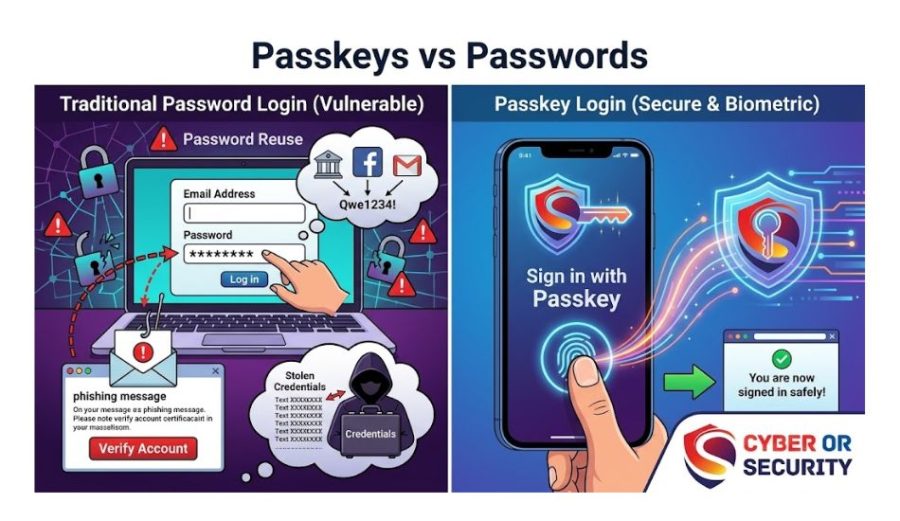
Passkeys vs. Passwords: What’s the Real Difference?
The table below breaks down passkeys vs passwords side by side.
| Feature | Password | Passkey |
| Can be stolen in a data breach | Yes | No |
| Works with phishing emails | Yes, easily | No, blocks it |
| Needs to be remembered | Yes | No |
| Can be reused across sites (risky) | Often | Never — unique per site |
| Login speed | Slower (typing) | Faster (one tap) |
Why Are Apple, Google, and Microsoft Pushing Passwordless Login in 2026?
This isn’t a small trend. It’s a full industry shift, and the numbers back it up.
The FIDO Alliance, the group that built the passkey standard, tracks passkey use across the world. Its State of Passkeys 2026 report found that there are now more than 5 billion passkeys in active use worldwide, with 90% of people now aware of what a passkey is and 75% having turned one on for at least one account.
That jump is happening because the big platforms stopped asking politely:
- Google made passkeys the default sign-in option for personal accounts back in 2023.
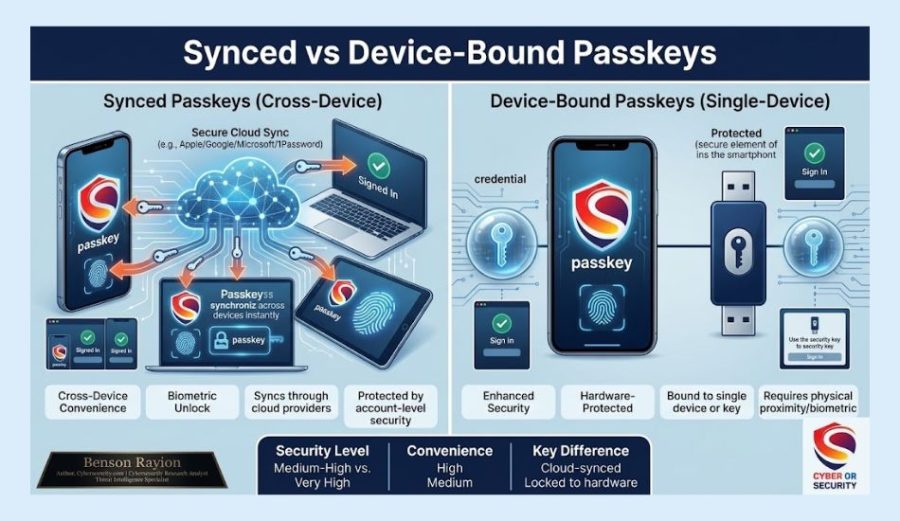
- Apple built passkeys into Face ID and Touch ID across iPhone, iPad, and Mac, and lets you carry them between devices.
- Microsoft made passkeys the default for new accounts in 2025, and in 2026 it started auto-switching people off text-message codes, with plans to shut those down completely in 2027.
The reason is simple: passwords keep getting stolen, and stolen passwords are behind most account takeovers and phishing attacks. Passkeys close that door because there is no password to steal in the first place.
Are Passkeys Safe? Can They Be Hacked?
Passkeys are much safer than passwords, but “much safer” doesn’t mean “unhackable.” Here’s the honest picture.
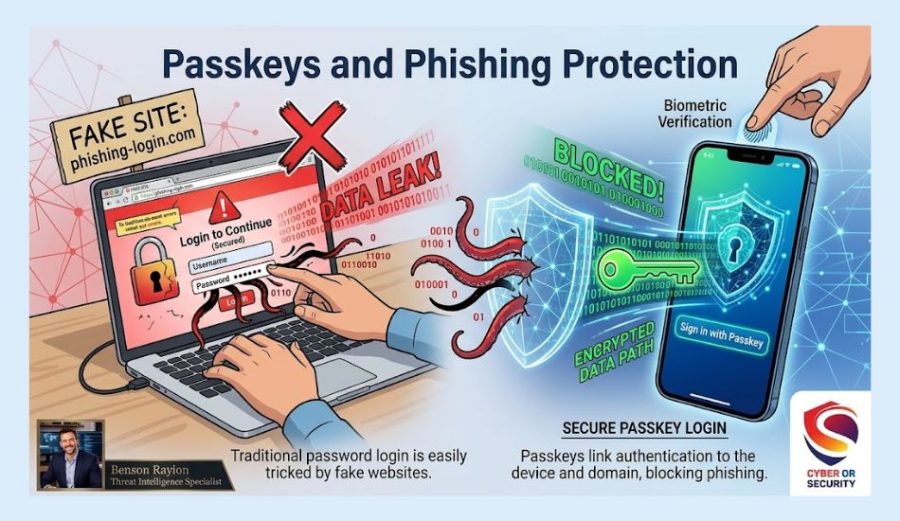
A passkey can’t be guessed, leaked in a breach, or typed into a fake login page, because it never gets typed or sent anywhere in full. That blocks the two biggest ways passwords get stolen: phishing and data breaches.
What passkeys can’t protect against is someone getting into your unlocked phone or your device’s screen lock itself. That’s why a strong PIN or biometric lock on your phone still matters, and it’s the last line of defense.
How to Set Up a Passkey
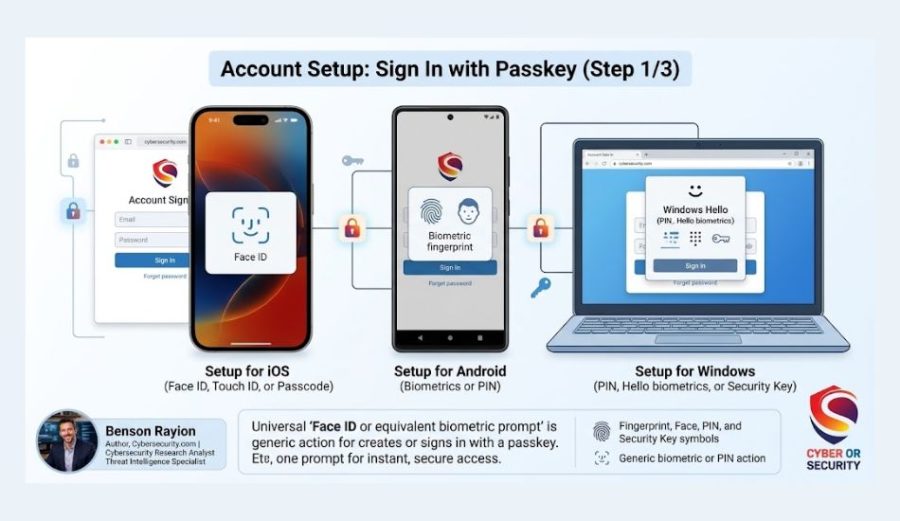
Setting one up usually takes less than a minute. Here’s how on the most common devices.
On iPhone or iPad
- Go to a supported app or website (Google, Amazon, PayPal, and many others now support it).
- Look for “Sign in with a passkey” or “Create a passkey” in your account security settings.
- Confirm with Face ID or Touch ID. It’s saved to your iCloud Keychain automatically.
On Android
- Open your Google Account settings and tap “Security.”
- Select “Passkeys” and follow the prompt to create one.
- Confirm with your fingerprint or screen lock. It syncs to your Google Password Manager.
On Windows
- Go to a supported site’s account settings.
- Choose “Set up a passkey” and pick Windows Hello.
- Confirm with your face, fingerprint, or PIN.
Many people manage passkeys through a password manager instead of relying only on Apple or Google. That way, your passkeys work across every device and browser you use, not just one company’s ecosystem. If you’re picking one, our password manager reviews break down which ones handle passkeys best.
What Happens If You Lose Your Phone?
This is the question most beginners ask first, and it’s a fair one.
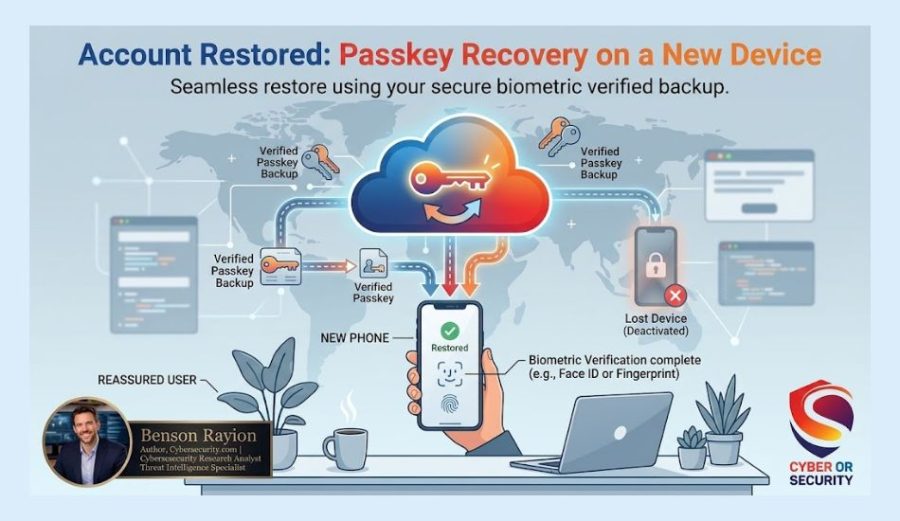
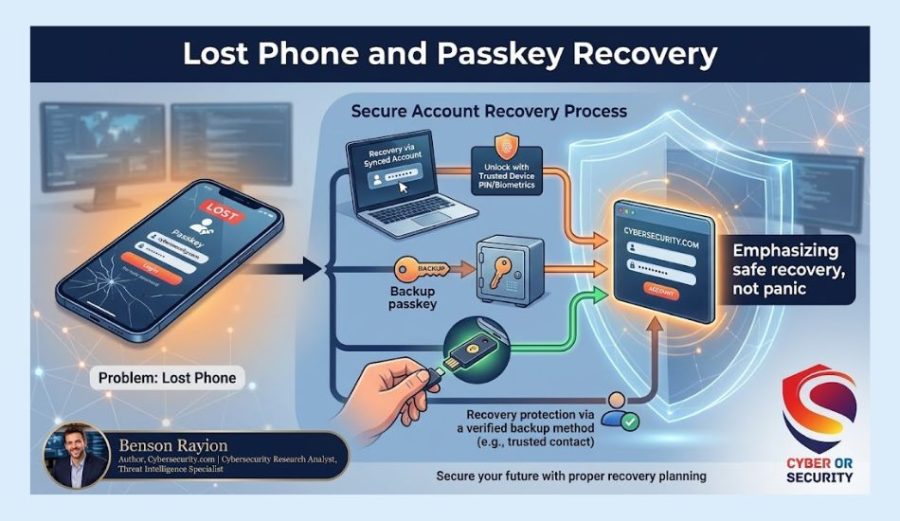
If you back up your passkeys through iCloud Keychain, Google Password Manager, or a password manager app, you’re covered. Sign in to that service on your new device, unlock it, and your passkeys come with you.
Most services also let you keep a backup sign-in method, like a password or a recovery code, for this exact situation. Don’t delete your old login until you’ve confirmed your passkeys carried over.
Should You Switch From Passwords to Passkeys in 2026?
For most people, yes, where it’s offered. Here’s a quick breakdown to help you decide.
Switch now if:
- You reuse the same password across multiple sites.
- You’ve been targeted by phishing emails or texts before.
- You want faster, one-tap logins on sites you use daily, like email or banking.
You can wait if:
- A site you use hasn’t added passkey support yet, and you can keep using a strong, unique password there instead.
- You share an account with family and haven’t set up device syncing yet.
You don’t have to switch everything at once. Start with your email and banking accounts, since those matter most, and add more over time as sites support it.
Final Takeaway: What Should You Do With Passkeys in 2026?
What are passkeys? They are a different way to prove who you are online without typing a traditional password. Your device or passkey manager protects the private key, while the website uses the matching public key to verify your login.
For you, the biggest change is simple: you no longer have to rely on a password as the main secret protecting an account.
Passkeys can help reduce common problems such as password reuse and phishing-based credential theft. They can also make daily sign-ins easier because you can often approve access with the same fingerprint, face scan, PIN, or passcode you already use on your device.
But you do not need to throw away every password today.
Helpful article: How to Secure Your Home Wi-Fi Network in 2026
FAQs: What Are Passkeys and How Do They Protect Your Accounts?
1. Is a passkey the same as a password?
No. A password is something you type and remember. A passkey is stored on your device and unlocked with your face, fingerprint, or PIN; you never type or see it.
2. Do I still need a password manager if I use passkeys?
Yes, for now. Most people still have accounts that only support passwords, so a password manager keeps both your old passwords and new passkeys organized in one place.
3. Can someone steal my passkey?
Not the way they steal passwords. A passkey never leaves your device and can’t be phished through a fake login page. The main risk is someone getting into your unlocked device itself.
4. What is passwordless login?
Passwordless login is any sign-in method that skips typed passwords entirely, using passkeys, fingerprints, or face scans instead. Passkeys are the most common and secure form of passwordless login today.
5. Will passwords disappear completely?
Not right away. Passwords will stick around for older accounts and smaller sites for a while, but major platforms are steadily phasing them out as the default option.